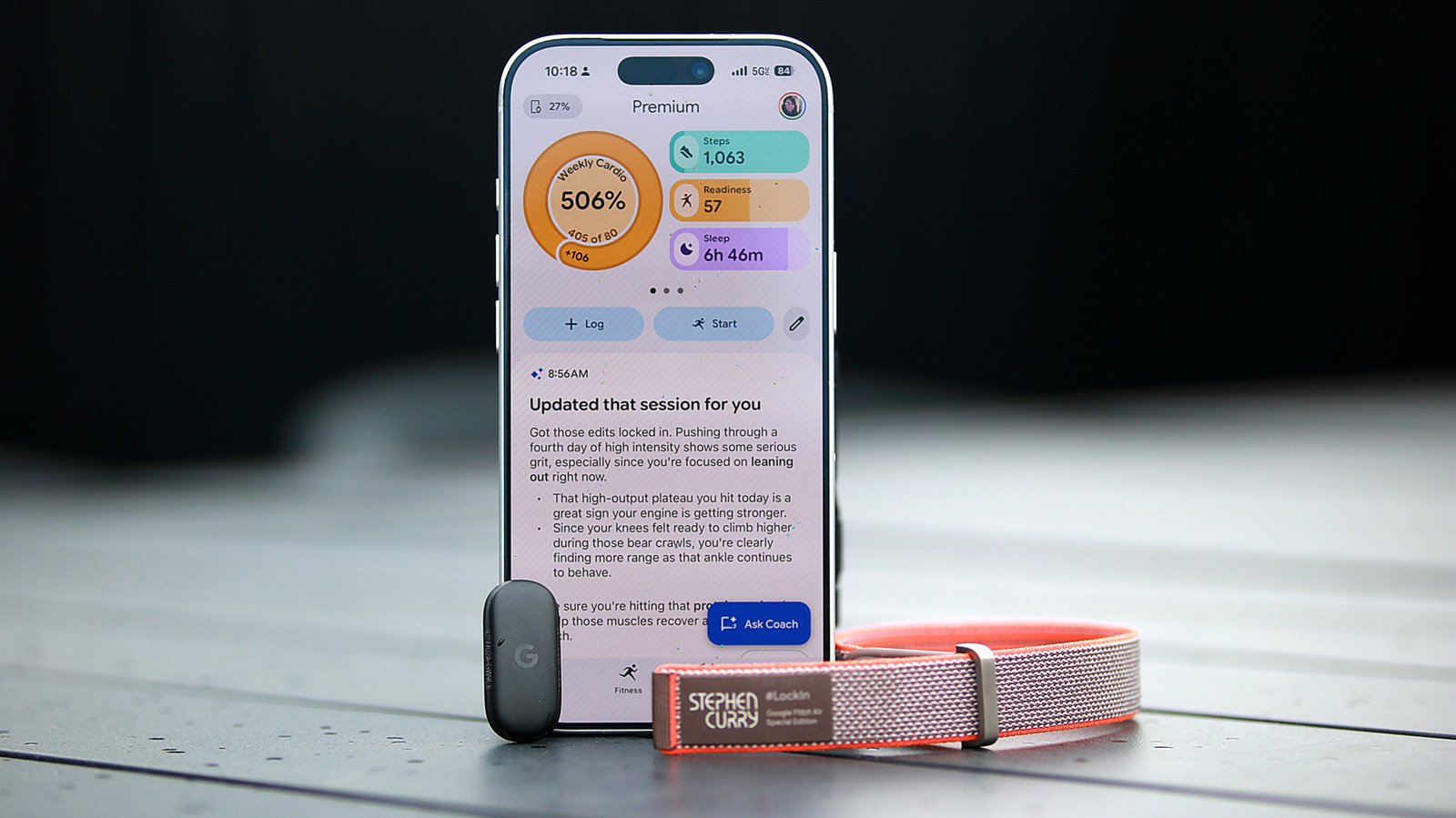
Google is replacing its existing wellness apps with Google Health, prompting Google Fit users to migrate data and Fitbit app users to receive a rebrand. The updated app, built around the Gemini-powered AI Coach, introduces a major redesign that shifts the home screen into a swipeable dashboard with customizable health metrics, quick logging tools, and AI-generated summaries. The Today page now centers on glanceable progress indicators for cardio load, steps, readiness, sleep, heart rate, calories, distance, and exercise days, while separate Fitness and Sleep tabs provide more focused views of workouts, sleep trends, and guided meditations.
The overall experience is presented as easier to navigate than earlier Fitbit versions, with most key information available from the Today page or device settings. Users can also adjust which metrics appear in the top panel and within the Health section, making the interface more personalized. Logging features cover workouts, food, water, sleep, and activity, and the AI Coach can often make tasks faster by interpreting natural language requests, such as logging a specific meal from the previous day or adding a workout retroactively.

/https://i.s3.glbimg.com/v1/AUTH_da025474c0c44edd99332dddb09cabe8/internal_photos/bs/2026/M/x/sDf8ClTTmvwixZOsnmNA/3f96a847-29f4-4e56-8730-f2747a8f9f42.jpg "Ciclone mantém frio no Rio, em São Paulo e Minas Gerais, enquanto o Sul entra em alerta para chuvas fortes")
The AI Coach is the app’s main differentiator. After setup, it asks users about their goals, tracks baseline activity and health data, and then generates tips and progress reports over time. In testing, it handled basic tasks well, including nutrition logging from text and photos, reading nutrition labels, and commenting on workout form from uploaded screenshots. It also proved useful for quick questions about whether certain foods might help with fiber or macro goals. The coach’s conversational approach makes features easier to access than traditional menu-based logging, even when the results are not always perfect.
However, the system is still rough in places. Some summaries misidentified workouts, occasionally labeling an hourlong exercise session as a walk. Other interface issues included confusing autogenerated headlines, occasional overcounting of exercise days, and inconsistent speech-to-text behavior early on. The hydration logging flow was also noted as awkward because it requires entering milliliters directly, with no obvious on-screen unit alternatives. Google appears to be aware of some of these issues and is actively fixing them.
The AI Coach also includes safety guardrails and medical disclaimers, but it sometimes produces unclear or overly cautious responses. It generally avoided giving direct medical advice, instead offering general explanations and redirecting users to professionals when appropriate. Still, some responses felt overly validating or repetitive, and at times the AI made assumptions that were not especially helpful. Google says the Coach was stress-tested with clinical experts and validated using its SHARP framework, which focuses on safety, helpfulness, accuracy, relevance, and personalization.
Overall, the redesigned Google Health app appears polished, flexible, and easier to use than older Fitbit software, with the AI Coach providing a genuinely helpful layer for logging, summaries, and basic guidance. Its current weaknesses are mostly in polish, accuracy, and occasional awkwardness rather than major usability problems.


/https://i.s3.glbimg.com/v1/AUTH_da025474c0c44edd99332dddb09cabe8/internal_photos/bs/2026/W/W/1AvL7eSMebMqIhSb35lg/inacio.jpg "Italy’s First Squad Since World Cup Qualifying Failure Features Brazilian-Born Player and Average Age of 20")